
Grafio 4 - Diagramm-Designer4.3.28 - App Store
Sie können Ergebnisse sehen in einige Sekunden.
Herausgeberbeschreibung
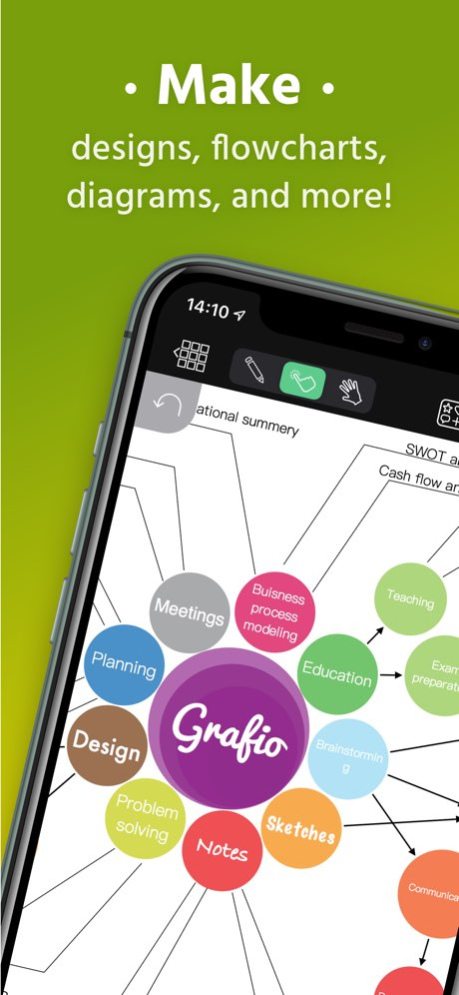
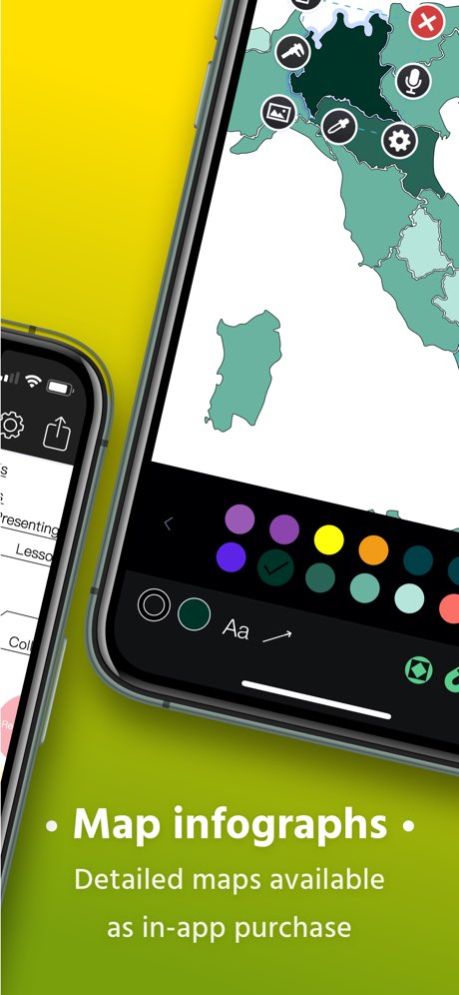
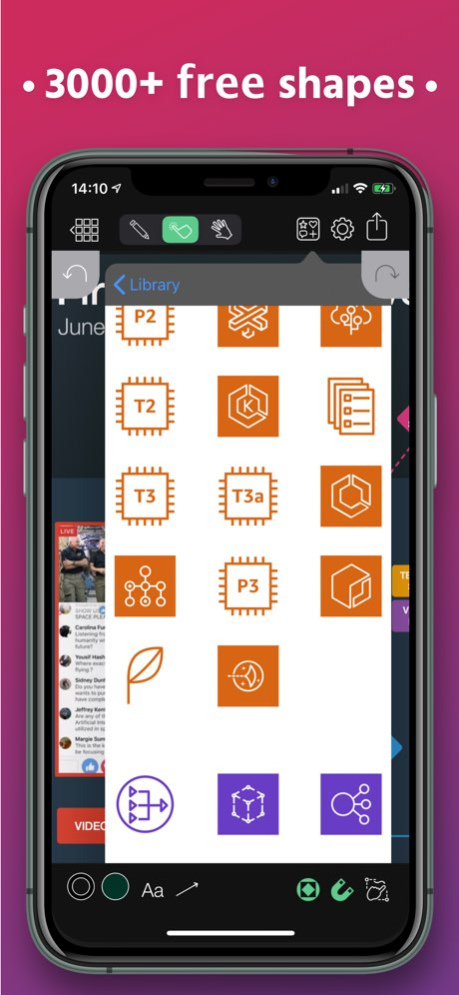
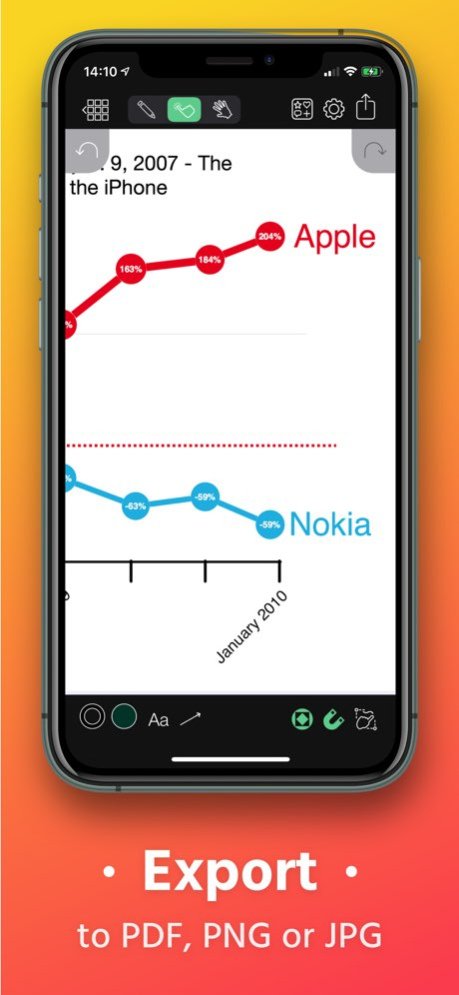
Grafio wird 10 Jahre alt. Es gibt sie schon seit einem Jahrzehnt - ansprechender und effizienter und stetig wachsenden Funktionssatz.
Grafio ist kein Werkzeug nur für Profis. Es stellt eine niedrige Schwelle für alle in den Bereich des visuellen Denkens dar. Es wird von Hunderttausenden von Benutzern weltweit aufgrund seiner Einfachheit und Erschwinglichkeit verwendet.
Keine laufenden Abonnement- oder Upgrade-Kosten. Was Sie einmal gekauft haben, ist Ihnen zu verwenden, bis Grafio ist da. Loyal EGrafio-Nutzer haben bisher 3 große Upgrades ohne zusätzliche Kosten erhalten.
Zeichnen Sie zunächst einfach ein Rechteck, einen Kreis oder eine Ellipse und beobachten Sie, wie Grafio sie erkennt und durch eine perfekt aussehende Form für Ihr Diagramm oder Ihren Schaltplan ersetzt.
Ziehen Sie Objekte auf der Leinwand für komplexere Diagramme. Herstellen von Verbindungen, Hinzufügen von Textbeschriftungen und Bildern.
- Video-Anleitungen über Grafio auf YouTube:
http://bit.ly/grafiovideo
FUNKTIONENSET:
------------------
• Formerkennung (erkennt handgezeichnete einfache Formen - Rechtecke, Ellipsen, Dreiecke etc.)
• Formensammlung zum Ziehen & Ablegen.
• Bilder einfügen/ablegen
• Diagramme und Graphiken mithilfe von Verbindungen erstellen. (Eine Linie zwischen zwei Objekten wird als Verbindung erkannt).
• Formen und Verbindungen beschriften. (Text überall mit Doppelklick einfügen)
• Alles (sogar Entwürfe) auswählen, verschieben, rotieren und anpassen
• Formgröße, -farbe, -opazität und andere Eigenschaften ändern.
• 50+ Schriften, Schriftgrößen, Schriftfarben und Schriftausrichtungen.
• 10 verschiedene Verbindungsarten mit verstellbarem Radius
• Formen in den Vordergrund / Hintergrund holen, blockieren oder gruppieren
• Quer durch die Anwendung kopieren und ablegen
• Rückgängig machen & wiederherstellen
• Ihr Arbeitsdokument zoomen und panoramieren.
• Ihr Dokument per E-Mail senden.
• VGA-Output für Präsentationen.
• Als PDF exportieren
• Unterstützung von AirPrint.
• Unterstützung von iCloud und andere Cloud-Dienste.
WAS KANN GRAFIO?
------------------
• Notizen machen
• Audionotizen zu Objekten aufnehmen
• Vektorentwürfe
• Flussdiagramme
• Netzwerkdiagramme
• SDL-Diagramme
• Datenflussdiagramme
• Arbeitsflussdiagramme
• TQM-Diagramme
• Audit-Diagramm
• Organigramme
• Venn-Diagramme
• Einfache Schaubilder und Graphiken
• Mind-Maps (Brainstorming-Diagramm)
• Blockdiagramm
• Anwendungsfalldiagramme
• Webseitenübersichten
• Drahtmodelldiagramme
• Straßenpläne
• Rekonstruktion von Verkehrsunfällen
• Industrielle Prozesse
• Zufahrtsplänen/Meeresströmungen
• Taktische Pläne und Militärkarten
• Und viele mehr
Kostenlose Bibliotheken:
------------------
• Active Directory (AD)
• Amazon Web Services (AWS)
• ArchiMate
• AV Connectors
• Azure-Dienste
• Elektrische Symbole
• Gefahrensymbole und GHS-Symbole
• Google Cloud Platform (GCP)
• Grundformen 2D & 3D
• Grundlegendes Flussdiagramm
• JoyPixel-Symbole (früher EmojiOne)
• Kritzeleien
• Kubernetes
• Meme
• NATO Joint Military Symbology (APP-6)
• Pfeile
• Piktogramme
• Piping & Instrumentation (P&ID)
• Pneumatisch & hydraulisch
• Sankey Diagrams
• Sprechblasen und Beschriftungen
• Textilien
• UML Diagramm
• US-Verkehrszeichen
• Vintage Formen
• WatchOS UI Kit
Bezahlte Bibliotheken
------------------
• FULL ACCESS - Holen Sie sich alle Bibliotheken mit einem Rabatt
• Arbeitsablaufdiagramm
• Audit-Diagramm
• BPMN
• Datenflussdiagramm
• Drahtmodell
• Ereignisgesteuerte Prozesskette (EPC)
• ESL "Energese"
• Funktionsübergreifendes Flussdiagramm
• iOS UI Kit
• Karten und Flaggen
• Konzeptkarte
• Marketingdiagramme
• Netzwerkdiagramm
• SDL-Diagramm
• TQM-Diagramm
• UX-Flussdiagrammkarten (Sitemap)
• Venn-Diagramme
Für mehr Informationen rufen Sie http://www.tentouchapps.com/Grafio auf...
Über Grafio 4 - Diagramm-Designer
Das Unternehmen, das Grafio 4 - Diagramm-Designer entwickelt, ist Ten Touch Ltd.. Die neueste vom Entwickler veröffentlichte Version ist 4.3.28.
Um Grafio 4 - Diagramm-Designer auf Ihrem iOS-Gerät zu installieren, klicken Sie einfach auf die grüne Schaltfläche Weiter zur App oben, um den Installationsvorgang zu starten. Die App ist seit 2024-12-03 auf unserer Website gelistet und wurde 0 Mal heruntergeladen. Wir haben bereits geprüft, ob der Download-Link sicher ist; zu Ihrem eigenen Schutz empfehlen wir jedoch, die heruntergeladene App mit Ihrem Antivirusprogramm zu scannen. Ihr Antivirusprogramm kann Grafio 4 - Diagramm-Designer als Malware erkennen, wenn der Download-Link defekt ist.
So installieren Sie Grafio 4 - Diagramm-Designer auf Ihrem iOS-Gerät:
- Klicken Sie auf unserer Website auf die Schaltfläche Weiter zur App. Dadurch werden Sie zum App Store weitergeleitet.
- Sobald Grafio 4 - Diagramm-Designer im iTunes-Eintrag Ihres iOS-Geräts angezeigt wird, können Sie den Download und die Installation starten. Tippen Sie rechts neben der App auf die Schaltfläche LADEN, um den Download zu starten.
- Wenn Sie nicht in der iOS App Store App angemeldet sind, werden Sie nach Ihrer Apple-ID und/oder Ihrem Passwort gefragt.
- Nachdem Grafio 4 - Diagramm-Designer heruntergeladen wurde, sehen Sie rechts einen INSTALLIEREN-Button. Tippen Sie darauf, um die eigentliche Installation der iOS-App zu starten.
- Sobald die Installation abgeschlossen ist, können Sie auf die Schaltfläche ÖFFNEN tippen, um sie zu starten. Das Symbol wird außerdem zum Startbildschirm Ihres Geräts hinzugefügt.
Programmdetails
Systemanforderungen
Download-Informationen
Preisgestaltung
Versionsgeschichte
Version 4.3.28
veröffentlicht am 2024-12-03
Several bug fixes and improvements.
Version 4.3.28
veröffentlicht am 2026-10-13
Version History Several bug fixes and improvements. 4.3.28 12/03/2024 This build fixes a crash introduces with the last release. 4.3.27 06/24/2024 - Fixed error preventing info popups to appear after exporting image, notifying about the status of the operation.
- Fixed a bug which prevents Settings to properly show the color of a selection or the document wide colors selected.
- Updated error reporting.
If you have any questions or suggestions, please contact us at http://www.tentouchapps.com/contact or through the Help menu from the app. 4.3.26 06/17/2024 - SVG Parser improvements and Drag & Drop support.
- Setting fill colour on a group which has open shapes has no effect.
- The build-in converter now reveals the Grafio local folder.
If you have any questions or suggestions, please contact us at http://www.tentouchapps.com/contact or through the Help menu from the app. 4.3.25 03/28/2024 What's new:
- Bug fixes and improvements.
- While editing documents, there is a new menu in place of Preferences and Share. Combining those two and adding the ability to see first steps and help screen.
If you have any questions or suggestions, please contact us at http://www.tentouchapps.com/contact or through the Help menu from the app. 4.3.24 02/06/2024 - Fixed issue with several Library inserting at wrong location
- Additional Library improvements
If you have any questions or suggestions, please contact us at http://www.tentouchapps.com/contact or through the Help menu from the app. 4.3.23 10/24/2023 - Bugfixes
- Stencils drag and drop improvements.
If you have any questions or suggestions, please contact us at http://www.tentouchapps.com/contact or through the Help menu from the app. 4.3.22 09/18/2023 - Added missing "No files label" while scanning for documents.
- Fixed a crash when copying file after conversion.
- Fixed a crash while opening Help menu.
If you have any questions or suggestions, please contact us at http://www.tentouchapps.com/contact or through the Help menu from the app. 4.3.21 06/14/2023 - Fixed issue while creating document, preventing auto resize
- Fixed a possible crash while editing video sequence order
If you have any questions or suggestions, please contact us at http://www.tentouchapps.com/contact or through the Help menu from the app. 4.3.20 05/16/2023 - Fixed a issue which prevented the Store to display products properly
If you have any questions or suggestions, please contact us at http://www.tentouchapps.com/contact 4.3.19 03/31/2023 - Fixed issue with creating new document, where the canvas size was influenced by auto resize when it shouldn't.
- Fixed issue which can lead to crash when moving selection.
If you have any questions or suggestions, please contact us at http://www.tentouchapps.com/contact 4.3.18 03/21/2023 Fix for several issues with Stencils library
If you have any questions or suggestions, please contact us at http://www.tentouchapps.com/contact 4.3.17 02/17/2023 This version implements several bug fixes and performance improvements.
If you have any questions or suggestions, please contact us at feedback@tentouch.com. 4.3.16 02/09/2023 - Fixed few typos.
- Fixed issue preventing proper color visualisation in the settings panels for stroke, fill and text color panels.
- Fixed issue allowing shapes to be inserted into the canvas when you drop them onto the Stencils panel.
- Changed how currently opened stencils library state is saved in effort to prevent crash occurring on some devices.
- Changed some In-App Purchase buttons that weren't properly complying to currently selected device theme.
- Smaller app size.
If you have problems or suggestions, please contact us at feedback@tentouch.com 4.3.14 10/15/2022 4.3.13:
- Fixed an issue preventing gestures from working when trying to change the settings of a shape (stroke, fill, shadow, etc.)
We would like to apologise to our users for the caused inconvenience!
If you have any other issues, questions or recommendations, don't hesitate to contact us at feedback@tentouch.com 4.3.13 07/12/2022 - This update should fix a crash on tap with Apple Pencil.
We would like to apologise to our users for the caused inconvenience!
If you have any other issues, questions or recommendations, don't hesitate to contact us at feedback@tentouch.com 4.3.12 07/05/2022 This update include the following improvements and/or additions:
1) 'Converter' can now convert IDP files in addition of IDDZ.
2) Fixed bug preventing tap-to-insert to work in User Library
.
3) Changed 'Layers' and 'Share' toolbar icons in Canvas to better show which panel is currently selected.
4) Added 'Document Options" menu in Preferences. Currently there is 1 option - 'Draw arrows on lines' which by default is disabled for every document, If you decide to enable it for this document, Grafio will automatically apply your selected arrow heads not only for connection between shapes but to lines too.
If you have any other issues or recommendations, don't hesitate to contact us at feedback@tentouch.com ! 4.3.11 07/01/2022 - Fixed issue with AirPlay Screen Mirroring streaming only the Document Browser.
- Fixed "User Library" shapes not showing up.
If you have any feedback and/or suggestions, don't hesitate to contact us at feedback@tentouch.com! 4.3.10 03/09/2022 Added ability to convert old Grafio documents to the new format. 4.3.9 02/28/2022 This update brings some more performance stability 4.3.8 12/09/2021 - Fixes several issues with deleting shapes from Layers panel.
- Fixes for several multi-scene issues.
- Additional fixes. 4.3.7 10/26/2021 - Fix for creating connections between two shapes which can lead to crash in some cases. 4.3.5 10/15/2021 4.3.4:
- Fixed crash on transparent background and some other app crashes
- Fixed some Layers Editing issues
- Fixed blank PDF export 4.3.4 10/07/2021 4.3.3:
- Fix for Align/Distrubution not working properly
- Some iOS 15 UI fixes
- Fix for purchasing icons sets from Search 4.3.3 09/29/2021 4.3.2:
This update of Grafio brings additional stability improvements by fixing the following issue:
- Fix for issue involving copy/paste of groups
- Additionally there are few more under the hood changes which will allow us to bring some new features.
-----
4.3:
- Layer manager - hide/unhide and rearrange object depth through a simple-to-use table
- Free icon pack: Cisco Networking Symbols
- Sankey Diagrams icon pack returned
- An issue introduced by iOS 14.3 preventing users to create white texts with some particular fonts has been resolved
- An issue causing Grafio to crash when trying to use uninstalled fonts was fixed
- You can now use drag and drop to insert images and text in Grafio document
- Quick Look Preview improvements
- A lot more fixes and under the hood improvements laying foundation for future updates. 4.3.2 06/16/2021
Haftungsausschluss
Offizieller App Store-Link
Wir hosten Grafio 4 - Diagramm-Designer nicht auf unseren Servern. Wir haben es nicht auf Viren, Adware, Spyware oder andere Arten von Malware gescannt. Diese App wird von Apple gehostet und hat deren Allgemeine Geschäftsbedingungen erfüllt, um dort gelistet zu werden. Wir empfehlen Vorsicht bei der Installation.
Der App-Store-Link für Grafio 4 - Diagramm-Designer wird Ihnen von apps112.com ohne jegliche Zusicherungen, Gewährleistungen oder Garantien zur Verfügung gestellt, greifen Sie daher auf eigene Gefahr darauf zu.
Bei Fragen zu dieser speziellen App wenden Sie sich bitte direkt an den Herausgeber. Bei Fragen zu den Funktionalitäten von apps112.com kontaktieren Sie uns.
